Early bird $49 $12.99, once
A volume forevery app 
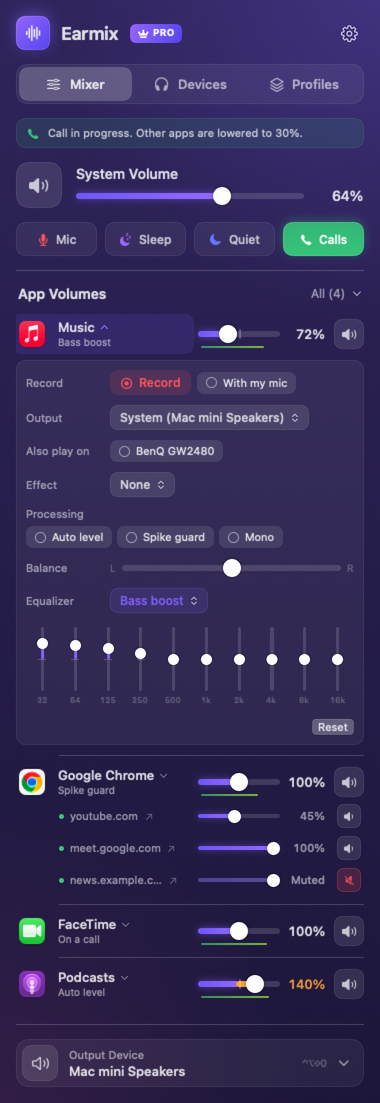
Turn Spotify down, the Zoom call up and that autoplay tab off. Earmix gives every app and browser tab on your Mac its own volume, EQ and output, right from the menu bar.
Early-bird price, one payment, no subscription. 14 days free, and a 14-day refund.
Drag any slider, or try one of these.
Notarized by Apple
Runs entirely on your Mac
Apple silicon and Intel
macOS 14.2 or later
Everything macOS leaves out of one volume slider.
macOS gives you a single slider for every sound at once. Earmix gives each app and tab its own, with the processing to make it sound right.
Every app on its own slider
From silent to 400%, with a limiter so boosts never clip. Each app keeps its setting for next time.
And every browser tab
Turn the YouTube tab down and the meeting tab up, in Chrome, Edge, Brave, Arc, Vivaldi, Opera, Firefox and Safari.
Shaped how you like
A 10-band EQ per app, headphone correction for 52 models, and auto level so quiet podcasts come up.
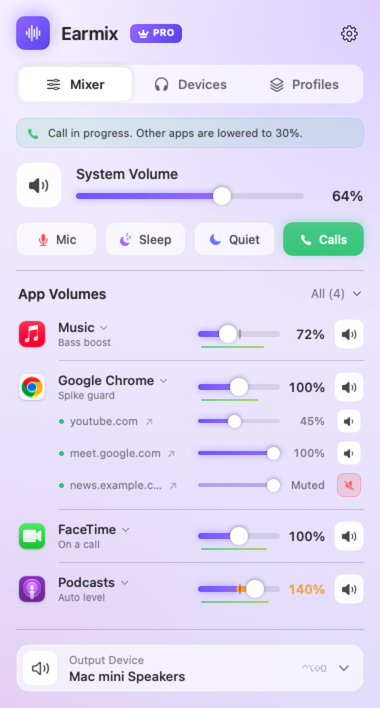
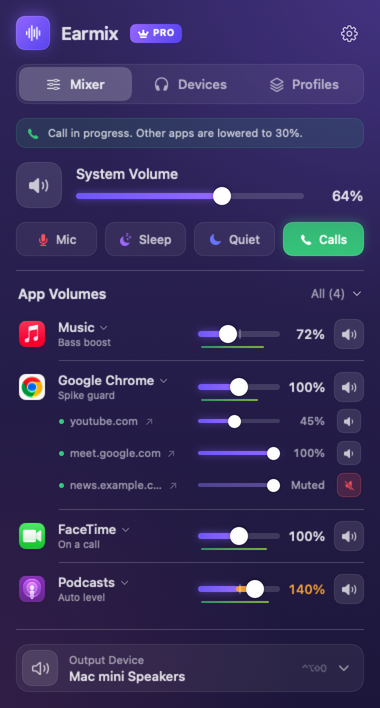
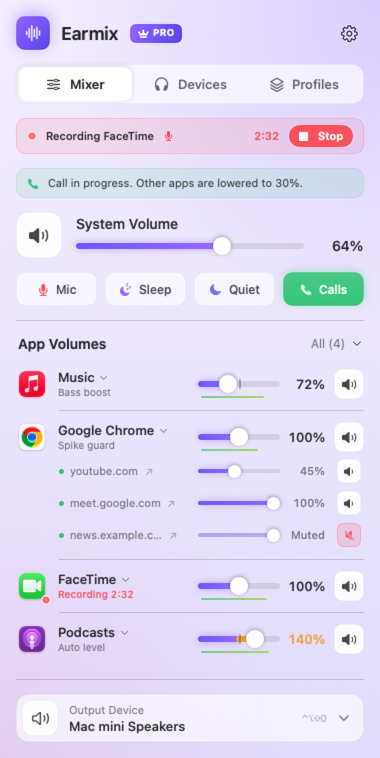
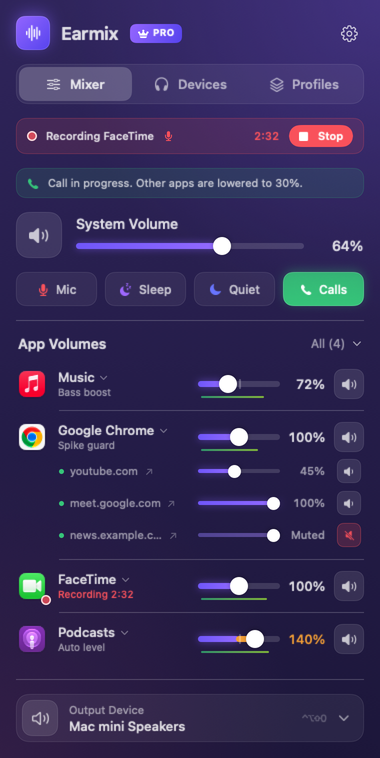
Calls lower the music. Press Record to keep them.
When Zoom, Meet or FaceTime opens the mic, everything else drops to 30%, and comes back when you hang up.
- Record any app or call to a file, your voice mixed in
- Saved to Music › Earmix Recordings as .m4a
- One shortcut, ⌃⌥⇧A, mutes your mic in every app
- A reminder if a call starts while you're muted
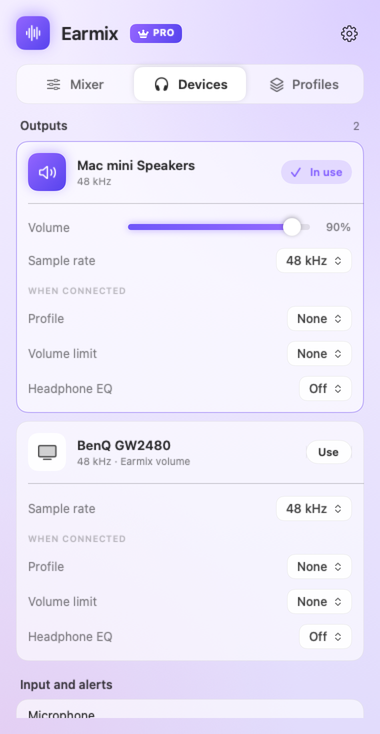
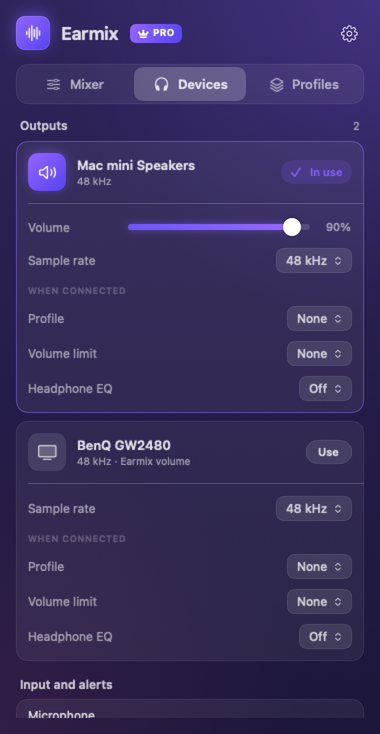
Send each app where you want it.
Music to the HomePod, the call to your AirPods, alerts on the speakers. Plug in headphones and their own mix and volume limit switch on by themselves.
- Two outputs at once, kept in sync, or AirPlay per app
- Volume keys for HDMI and DisplayPort screens
- Profiles that apply when a device connects
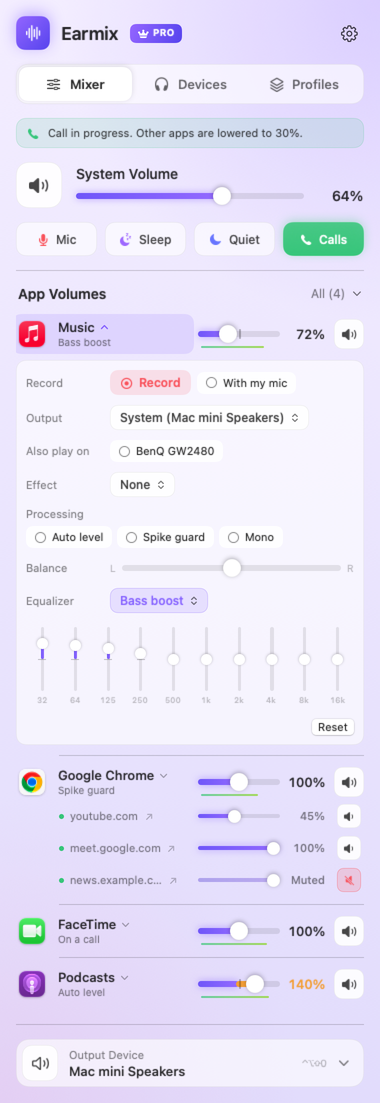
Shape how each app sounds.
Open any app for its own EQ, balance and processing, or load an Audio Unit effect on it.
- 10 bands from 32 Hz to 16 kHz, with eight presets
- Headphone correction for 52 models, from AirPods to HD 600
- Spike guard stops sudden jumps over 12 dB
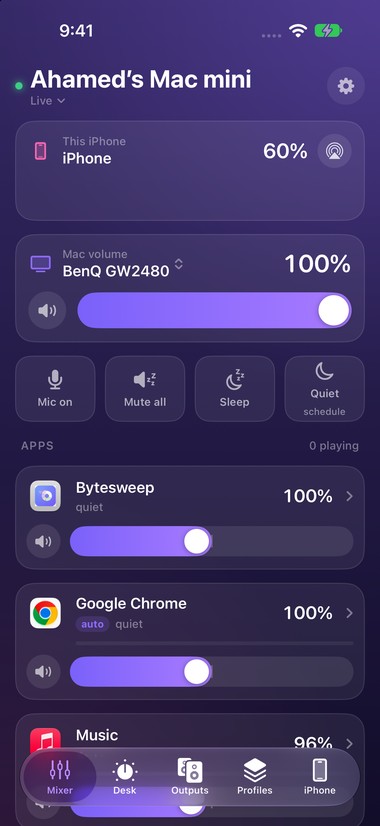
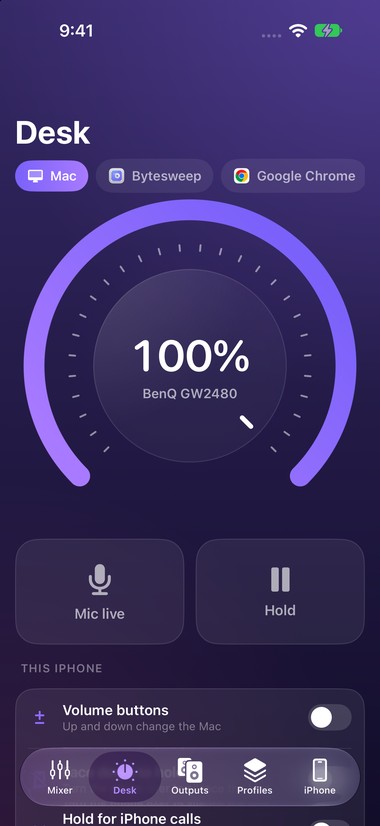
Your iPhone becomes the Mac's mixer.
Every slider from the menu bar, in your hand, plus things only a phone can do. Free with Earmix, now in beta on TestFlight.
- The iPhone's volume buttons turn the Mac up and down
- Turn the phone face down to pause the Mac; a call on your iPhone does it too
- Mute the Mac's mic from the Lock Screen, Control Center or the Action button
- The phone's own volume and output on the same screen
And the rest of the toolkit.
Headphone profiles
Measured curves from AutoEq. Pick your model once and everything on it is corrected.
Call ducking
Other apps drop while one uses the mic. You choose how far.
On apps you leave alone
They take the normal macOS path. If Earmix quits, everything goes straight back.
Quiet hours and sleep timer
A volume cap from 22:00 to 07:00, or with a Focus, and a fade-out at bedtime.
Hearing health
Listening time and weekly dose on headphones, based on WHO guidance.
Shortcuts, Siri, widgets
Plus Raycast, Stream Deck and earmix:// links for your own scripts.
On your Mac, in your browser, in your hand.
Earmix for Mac
macOS 14.2 Sonoma or later, Apple silicon and Intel. A 4.3 MB download, free for 14 days.
Download for MacEarmix Tabs
The free browser extension that gives each tab its own slider. Safari's comes inside Earmix.
Earmix for iPhone
Control the Mac with your phone's buttons, Lock Screen and Siri. Free with Earmix.
Join the TestFlight betaYour audio never leaves your Mac.
Earmix processes sound locally, in real time. Nothing is recorded unless you press Record, and nothing is ever uploaded.
Local processing
Adjusted and played straight back. No servers in the audio path, no account.
No telemetry
No analytics and no crash reporting. Only licence and update checks.
Signed and fails safe
Notarized by Apple. If Earmix quits, every app returns to its normal output at once.
How Earmix compares.
From each product's published feature list, November 2026.
| Feature | Earmix | SoundSource | SoundDial | FineTune |
|---|
Pay once. Keep it.
Early-bird price. The regular price is $49; buy now and keep this one.
- Every feature, Earmix Tabs included
- The iPhone app, free
- No subscription and no account
- Move it to another Mac any time
Questions
Does Earmix record or upload my audio?
Only when you press Record, to a file on your Mac. Otherwise it adjusts each app's sound and plays it straight back, and nothing is saved or uploaded.
macOS calls the permission “System Audio Recording”, which is why it appears during setup. Before recording a call, check the law where you are; many places need everyone's consent.
Does it add latency or use much CPU?
Apps you haven't adjusted take the standard macOS path. Adjusted apps add a few milliseconds of processing.
What happens if Earmix quits?
Every app goes straight back to its normal output. Your settings come back the next time Earmix opens.
How do browser tabs get their own volume?
Install the free Earmix Tabs extension, coming soon to the Chrome, Edge and Firefox stores. In Safari it comes inside Earmix: turn it on in Safari › Settings › Extensions.
Boosting a tab past 100% and recording a single tab work in Chrome-based browsers. In Safari and Firefox, record the whole browser from Earmix.
How does the iPhone app connect?
Turn on Phone remote in Earmix's settings and scan the QR code with the iPhone app. They talk over your own Wi-Fi only, and every request carries the private code from that QR, which you can reset any time.
How does headphone correction work?
Earmix includes measured curves for 52 popular headphones from AutoEq, an open-source project. Choose your model under Devices › Headphone EQ.
Which Macs are supported, and how many per licence?
Any Mac with macOS 14.2 Sonoma or later, Apple silicon or Intel. One licence covers one Mac at a time; deactivate it in Settings to move it.
Take control of your Mac's sound.
Free for 14 days. No account, no card. Then $12.99 at the early-bird price, instead of $49.