How to record internal audio on a Mac
Short answer: On macOS 27, the Screenshot app (⇧⌘5) can record system audio along with your screen. On macOS 26 and earlier it records only the microphone, so you need extra software: the free BlackHole driver with a recorder, Audio Hijack or Piezo, or Earmix, which we make, to record what one app plays.
What macOS can do by itself
Macs have two built-in recorders: the Screenshot app and QuickTime Player. What they can capture depends on your macOS version.
- macOS 27 Golden Gate. The Screenshot app has an Include System Audio option. Press ⇧⌘5, open Options, tick Include System Audio, then choose what part of the screen to record and click Record.
- macOS 26 and earlier. The Screenshot app can only add sound from a microphone. macOS 26 added Record Selected Window, but that still records no app sound.
- QuickTime Player. Its own screen recording offers only a microphone, on every version.
The built-in option on macOS 27 records the whole Mac's sound as part of a screen recording. Neither tool records just one app's sound, so a notification or a video in another tab ends up in the file too.
Record system audio with BlackHole (free)
BlackHole is a free, open-source virtual audio driver. It doesn't record anything by itself and it has no window. It gives you an extra audio device that a recorder can listen to. The usual setup:
- Install BlackHole from its website or with Homebrew. It works on Intel and Apple silicon.
- Open Audio MIDI Setup (in Applications › Utilities).
- Click + at the bottom left and choose Create Multi-Output Device.
- Tick Use next to your speakers or headphones and next to BlackHole. Pick your speakers as the Primary device and turn on drift correction for BlackHole.
- In System Settings › Sound › Output, choose the Multi-Output Device. You now hear the sound and BlackHole gets a copy.
- In your recorder, such as Audacity, OBS or QuickTime Player's New Audio Recording, pick BlackHole as the input and start recording.
It's free and it works, but there are costs. The volume keys and the volume slider don't work on a Multi-Output Device, so you set the level in each app. Some apps won't play to one. And it records everything the Mac plays, not one app. When you're done, switch the output back to your speakers. Our BlackHole alternatives guide compares the other options.
Record with Audio Hijack or Piezo
Rogue Amoeba makes two paid recorders that don't need a Multi-Output Device:
- Piezo ($29 one-time) records almost any app, or a Zoom or FaceTime call, in one click, with your mic if you want it.
- Audio Hijack 4 ($69 one-time) records any app, website, VoIP calls and mics. It has a System Audio source and local transcription.
Both run on macOS 14.4 to 27. Their trials add noise to recordings after 10 minutes. Audio Hijack is the most complete tool here if you record often and want to build your own chains.
Record one app's sound with Earmix
Earmix is a per-app volume mixer for the menu bar, and it can record any app it lists. It works on macOS 14.2 Sonoma or later, so you don't need macOS 27.
- Click the Earmix icon in the menu bar.
- Open the options for the app you want to record, such as Spotify, a game or a browser.
- Press Record. Press it again to stop.
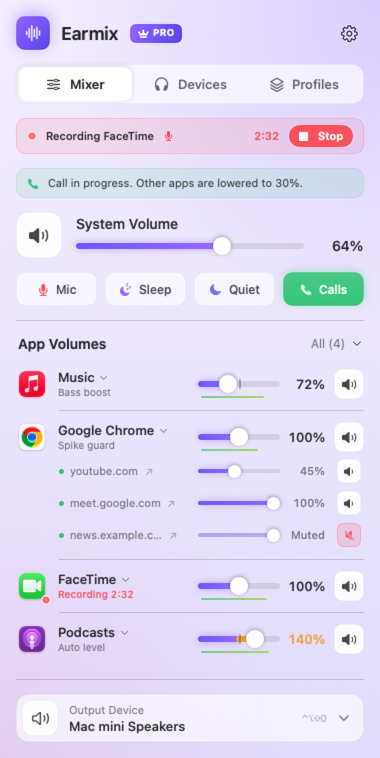
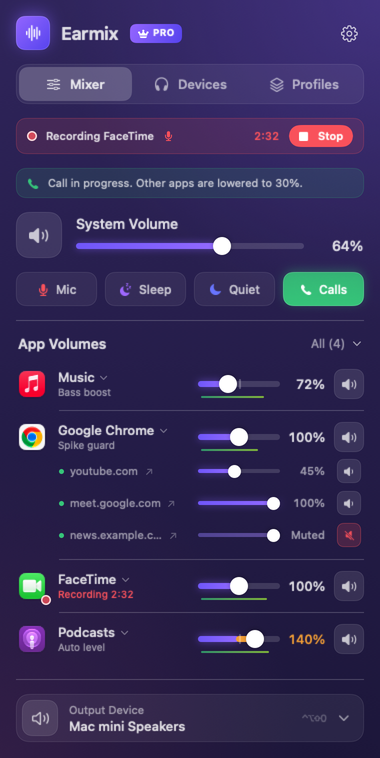
The recording is saved to Music › Earmix Recordings as an .m4a (AAC) file. The app keeps playing as normal while it records, and other apps aren't in the file. If the app is using the microphone, such as a call, your voice is mixed in, with a With my mic switch to leave it out. See how to record a Zoom call.
For a single browser tab, the free Earmix Tabs extension can record one tab from its popup to Downloads › Earmix Recordings. That works in Chrome-based browsers only, and the extension isn't in the Chrome or Firefox stores yet. In Safari and Firefox, record the whole browser from Earmix instead.
macOS asks Earmix for System Audio Recording permission. Nothing is recorded unless you press Record.
Which to use
| Price | Records one app | Needs extra setup | macOS | |
|---|---|---|---|---|
| Screenshot app | Free, built in | No | No | 27 for system audio |
| BlackHole + recorder | Free | No | Multi-Output Device | Not listed |
| Piezo | $29 | Yes | No | 14.4 to 27 |
| Audio Hijack 4 | $69 | Yes | No | 14.4 to 27 |
| Earmix | $12.99 early bird ($49) | Yes | No | 14.2 or later |
From each app's website, checked November 2026. "Not listed" means the website doesn't mention it, not that the app can't do it. All names belong to their owners.
If you're on macOS 27 and only need a screen recording with sound now and then, the Screenshot app is enough. Earmix also does per-app volume and a different output for each app, so it's worth a look if you want those too.
Before you record anyone else's voice, check the law where you and they are. Many places need everyone's consent.
Questions
How do I record internal audio on a Mac without BlackHole?
On macOS 27, use the Screenshot app (⇧⌘5) with Include System Audio turned on in Options. On older versions, use an app that records audio directly, such as Earmix, Piezo or Audio Hijack.
Can QuickTime record internal audio on a Mac?
No. QuickTime Player's screen recording only offers a microphone. You can pair it with BlackHole by picking BlackHole as the input for a New Audio Recording.
How do I record audio from just one app on a Mac?
macOS can't do that by itself. Earmix, Piezo and Audio Hijack can record a single app's sound without other apps in the file.
Does Soundflower still work?
Soundflower is deprecated. Its last release was in 2014 and it doesn't support Apple silicon. BlackHole is the free driver people use instead.
Try Earmix free for 14 days
Every feature, with no account and no card. Then $12.99 once at the early-bird price (regularly $49), with a 14-day refund. For macOS 14.2 or later, on Apple silicon and Intel.
Download Earmix